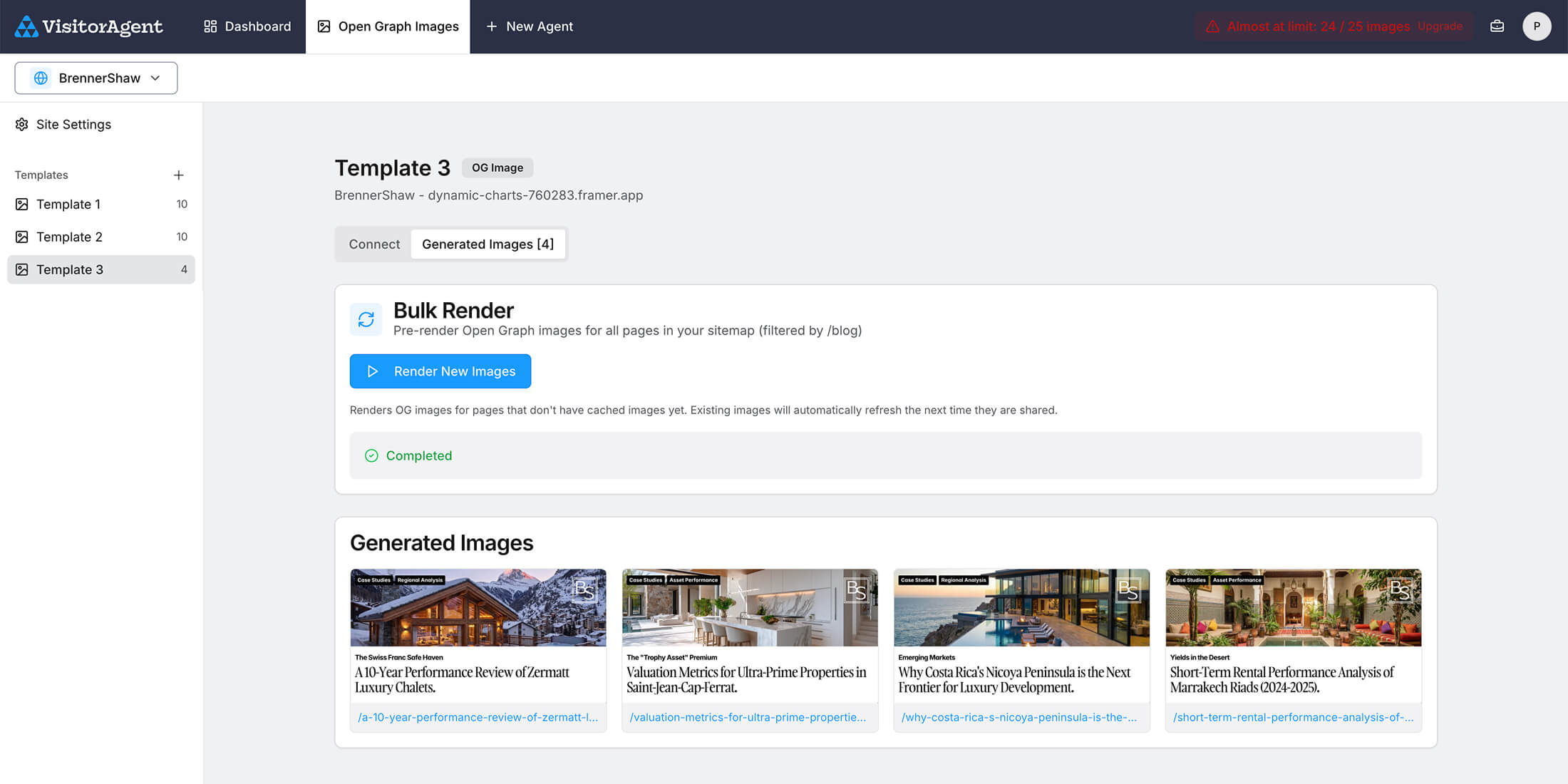
Setup Guide
Open Graph image for Framer CMS Collection Pages
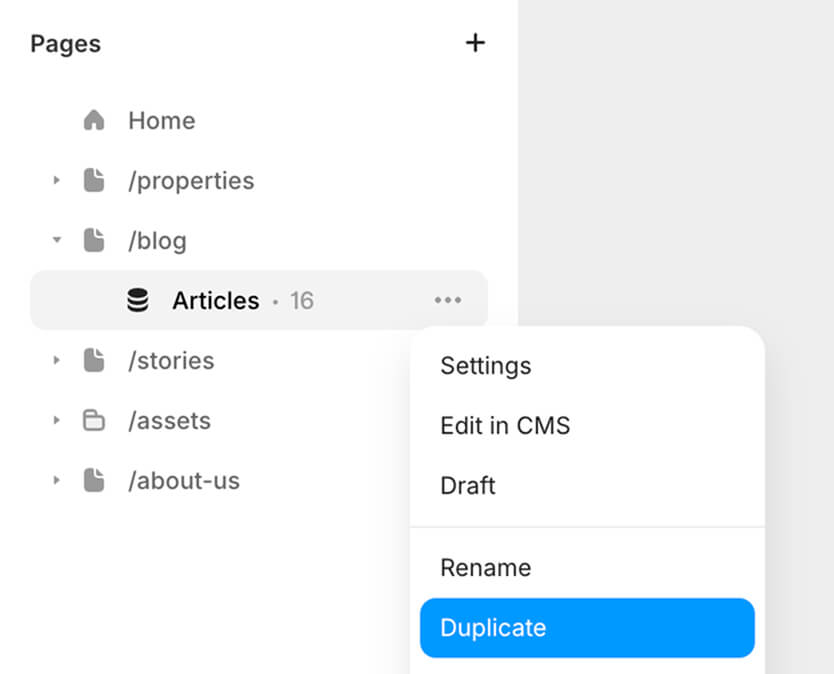
Duplicate the CMS collection detail page
This page will be the template for the Open Graph images for that CMS collection pages.
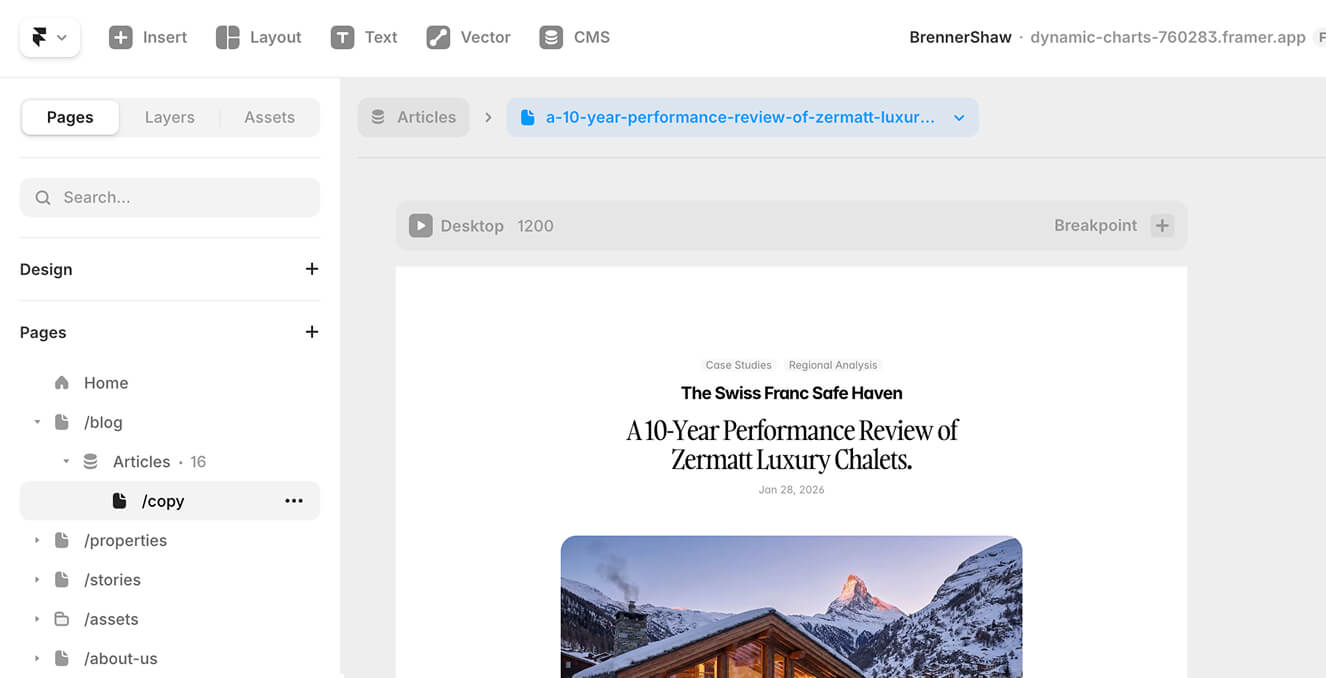
Rename the duplicate page to change its location
The template page needs its own path for VisitorAgent to be able to capture it as Open Graph image.
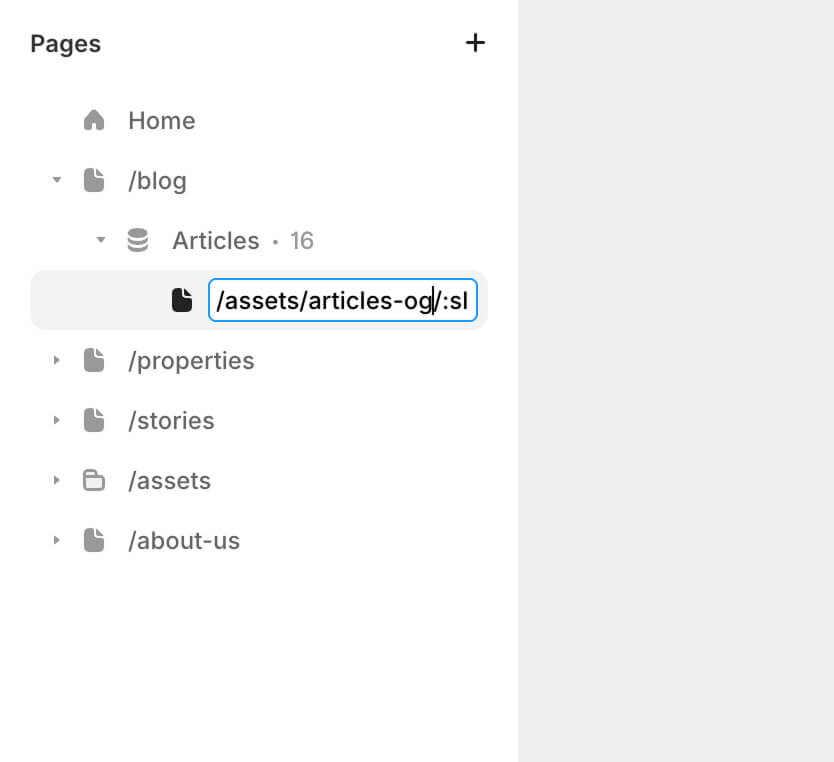
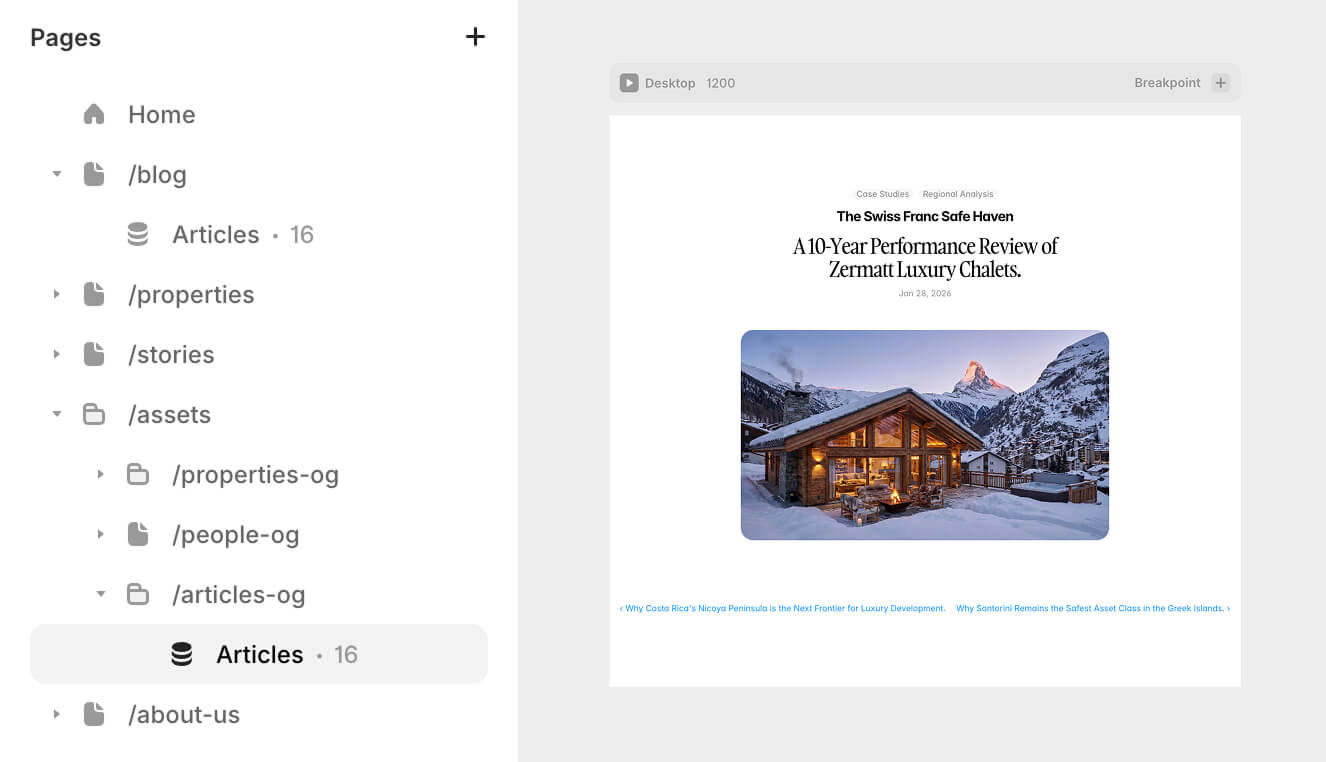
Organize all the open graph images under /assets, for our example we rename the duplicate detail page to /assets/articles-og/:slug
Design the Open Graph template
Resize the page to 1200x630px and design the Open Graph image template.
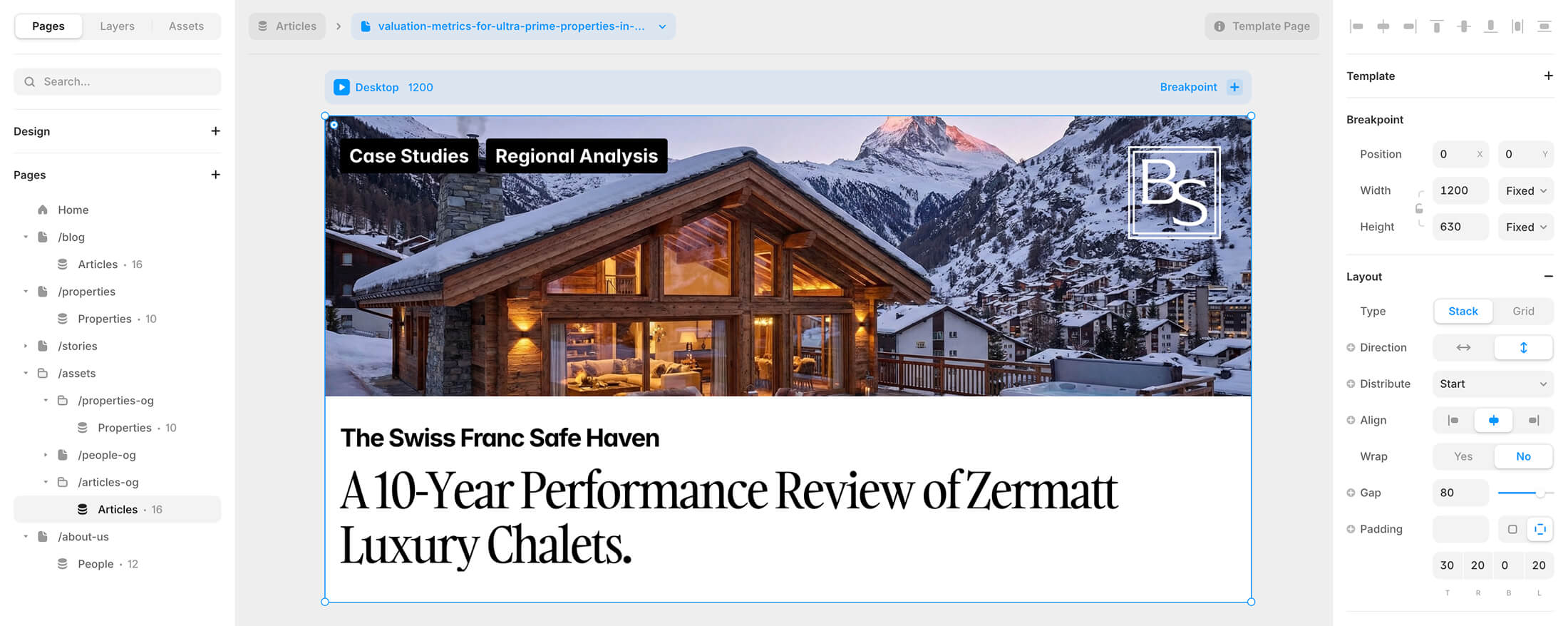
In our example we keep the CMS variables for the image, title, sub-title and blog categories.
VisitorAgent
In VisitorAgent configure the Open Graph image site and template settings.
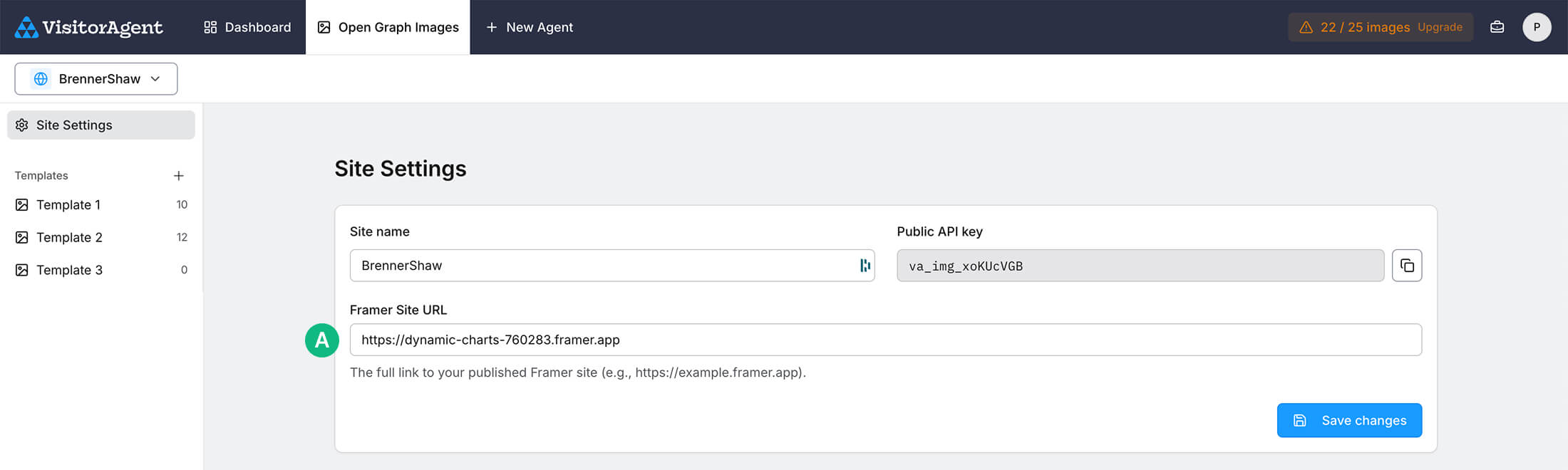
Site Settings
Enter your Framer project's base URL. VisitorAgent uses this permanent link to capture the Open Graph images.
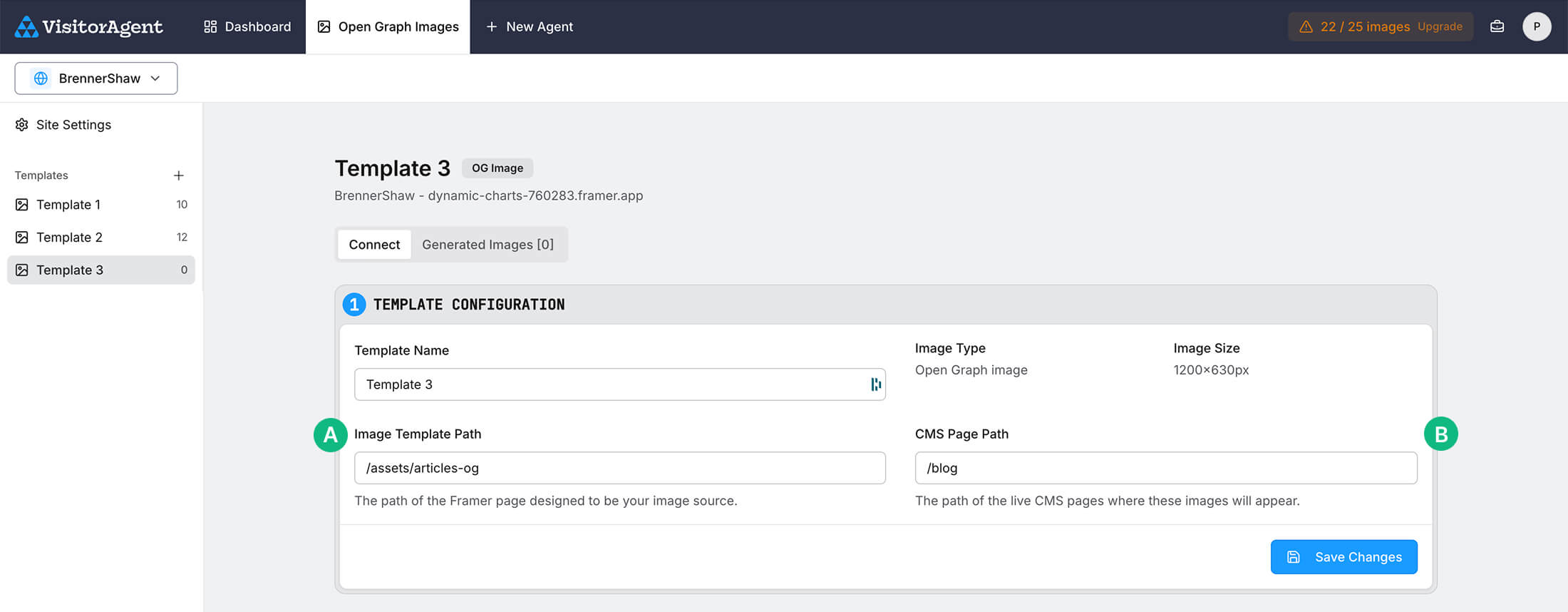
Template Settings - Configuration
For the Image Template Path, use the location from step 2 (without the :slug). In our example it’s /assets/articles-og
For the CMS Page Path, use the path of the actual content page the Open Graph image will be displayed. In our example it’s /blog
Template Settings - Open Graph Readiness Script
Copy the Open Graph readiness script
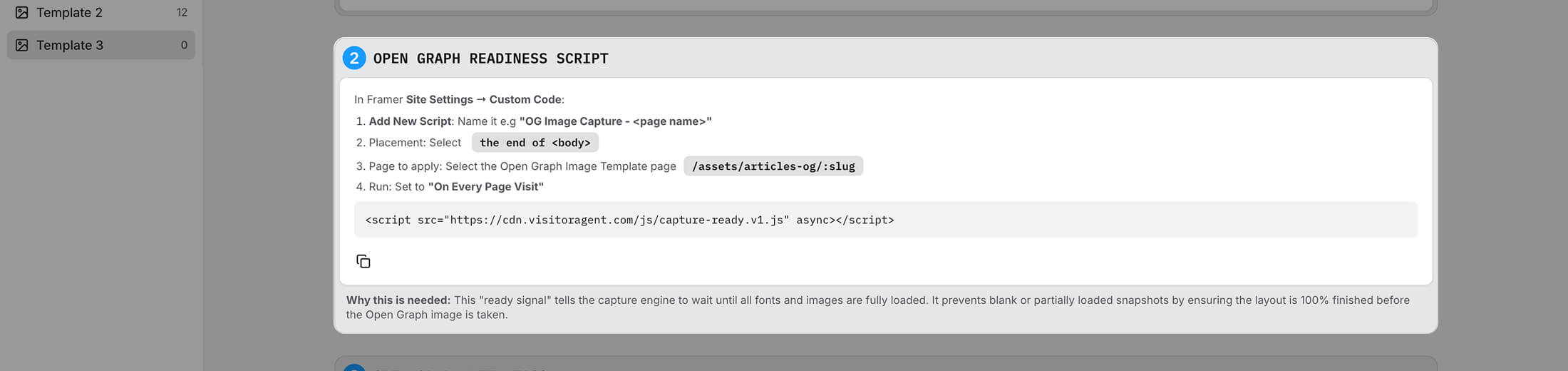
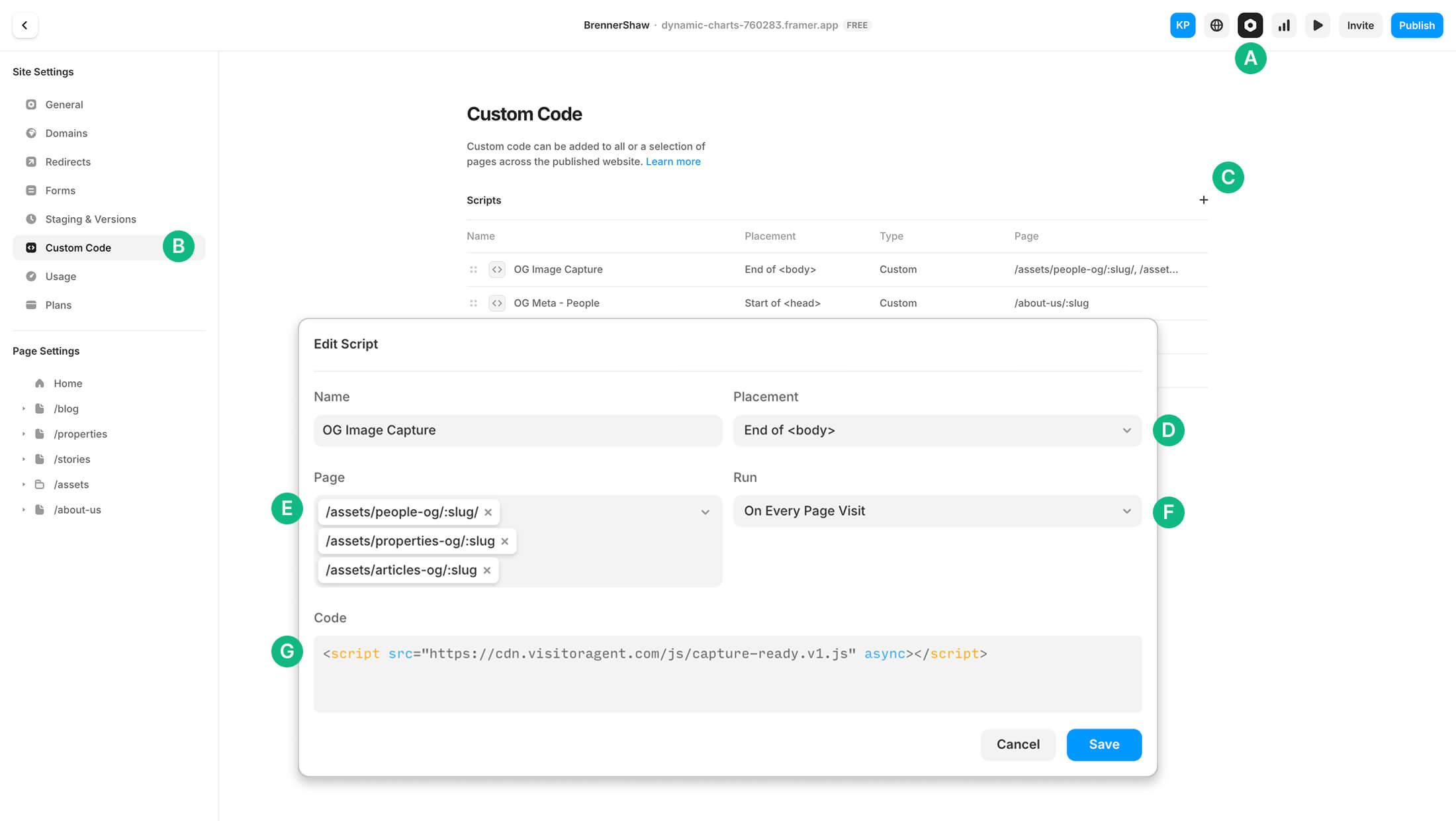
In Framer - Site Settings
Site Settings
Custom Code section
Add new script
Placement: End of <body>
Page to apply: Select the Open Graph Image Template page, in our example: /assets/articles-og/:slug
Run: Set to "On Every Page Visit"
Paste the OG readiness script from VisitorAgent
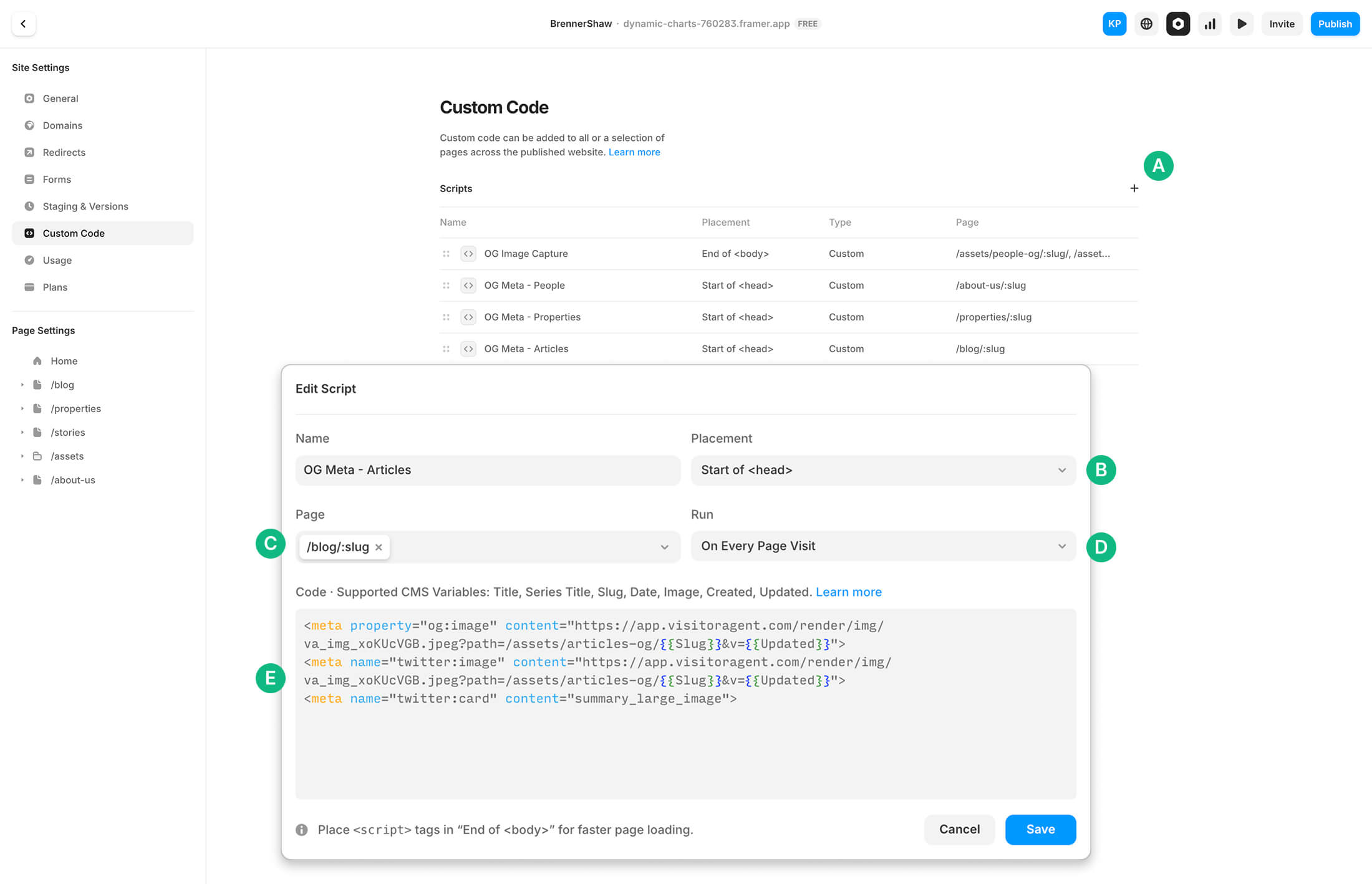
Template Settings - Open Graph Meta Tags
Copy the Open Graph Meta tags

In Framer - Site Settings > Custom Code
Add new script
Placement: Start of <head>
Page to apply: Select the CMS page path, in our example: /blog/:slug
Run: Set to "On Every Page Visit"
Paste the OG meta tags from VisitorAgent
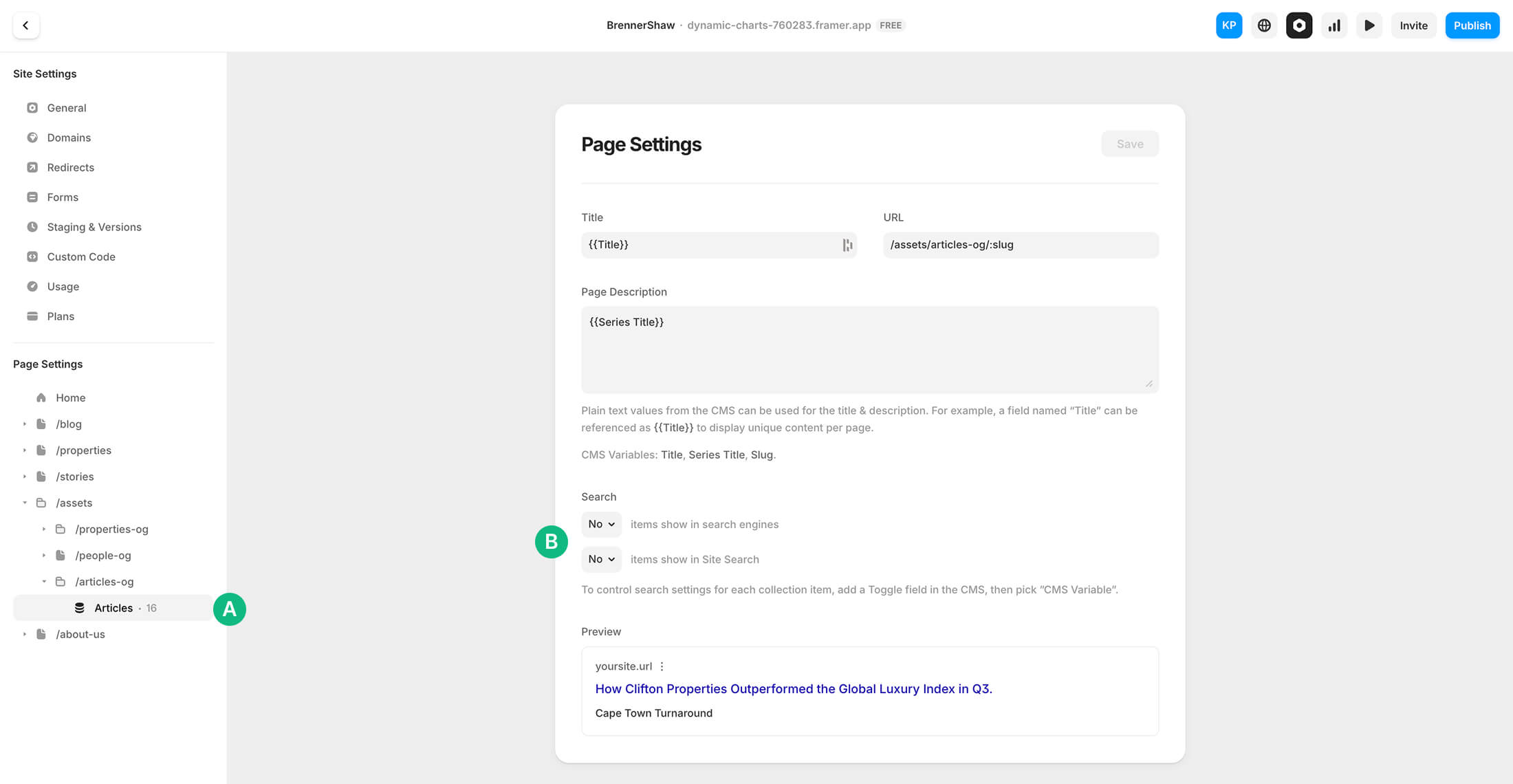
Hide the template from search.
In Framer Site Settings > Page Settings for the OG template page, in our example: /assets/articles-og/:slug
Set both search parameters to No
This ensures the Open Graph image template pages in Framer are excluded from your sitemap and ignored by search engines.
Remove existing Page Image
In Framer Site Settings > Page Settings for the CMS page, in our example: /blog/:slug
Remove the default Page Images, so there is no images shown by Framer.
This ensures the Open Graph meta tags will be applied and read by VisitorAgent to capture and serve the OG image.
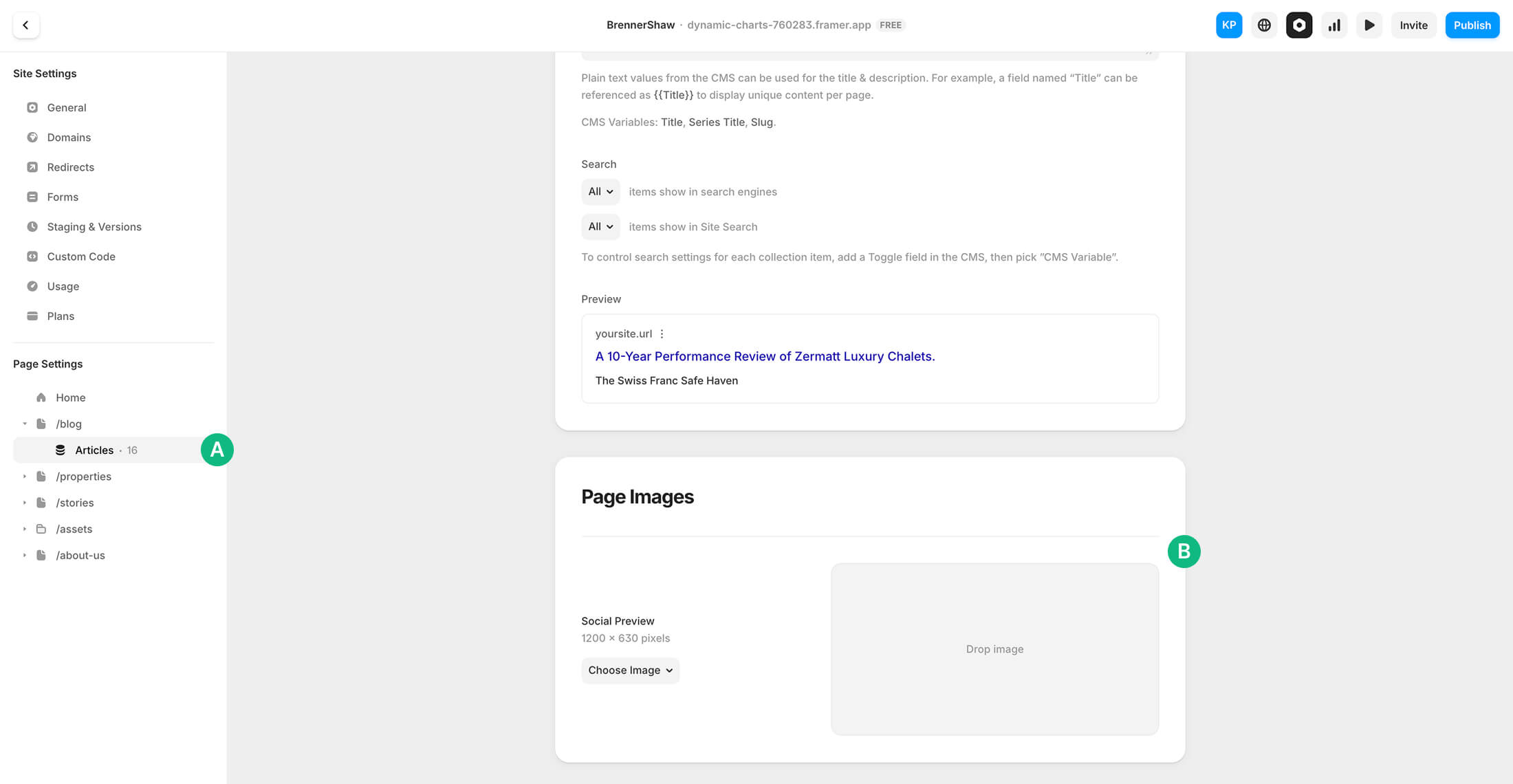
Remove existing Page Image
In Framer Site Settings > Page Settings for the CMS page, in our example: /blog/:slug
Remove the default Page Images, so there is no images shown by Framer.
This ensures the Open Graph meta tags will be applied and read by VisitorAgent to capture and serve the OG image.
Publish your site
For all the scripts and meta tags to take effect, publish or update your site in Framer.

Generate Images
Pre-render your Open Graph images in VisitorAgent to ensure they load instantly when shared.
This generates images for pages that don't have them yet. Existing images will automatically refresh the next time they are shared.